Draft of ideasto put in the header/masthead region
This is “Jim’s” site – which I hope will also be a place where
others can muse, discuss and show their work of creativity.
Creativity in ways of adapting to aging, in doing art, in making things, in writing, in travel.
The site is being developed as a creative outlet. A place to try things, analyze, and try some more. It may not fit you. But if it does – Welcome!
Author Archive: James
Status Tues Oct 18, 16
* Worked on a poem to use as a sanmple for critiques.
* Updated postie and changed the settings to delte post on the server. (I had a bunch of posts.)
To do:
Take affirmations from heading.
* Look over user profiles. Do mine – and the trial ones.
* Critique- find the writeup * Poem review once more and put up for critique
* Consider a slider in the lower menu area (A carousel of diy project pictures, or a single at a time slide show in the upper right sidebar.
* Figure out why posties come in with all the html showing
* Edit the affirmations list. Delete some, shorten some. Spelling. Makes sense.
* make a file of 10 or so 500x500px photos for the sidebar slider.
*
Status Sunday Oct 23, 2016
- Working on the post loop on the read it page – which is also the front page. I found the settings for the page widgets- in the right bar. Apparently each bartch must be siad “done” then go to the next. And Update or publish the page.
- The idiosyncracies. I tried to get the heading to be nicer. The title of the page is the title of the menu lnk. So when I put more test in it, it also added it in the menu. Not at all what I desired.
- I used the vantage headline and did some background color. But, the page prints the “read-it title anyway, so it looks wird.
- The post loop. I put a background color etc, and a border. But the vertical colum of posts is all the same background with no break bewtween posts.
- The post loop in each box duplicates the postloop in the first. So how to I get the posts distributed over all three columns???
- Did some searching and another person asked a similar question on the vantage site. Andrew answered that this is not possible with the post loop template, or in page builder, or in the widgets bundle. The grid loop is closest. it can be found at appearance -> home page -> (if you added the post loop widget) -> edit right below title is a drop down menu with template choices.
Saturday 10/22/16 status
- Tried to get the circle icons on the blog-loop page to be smaller. I enabled the features from the vantage widget group. I installed features on the sidebar. Then clicked add and made a smaller different color circle icon. I It did indead make the icon I had specified – but on the sidebar. So how do I get it on the main post loop page? Mabe on the page maker page (I don;t think so but I’ll look.)
- I looked over the editor and the themes CSS. Then turned on developer in the firefox browser. I searched for some snipits to use, as finding the area I need in the editor, copying the part needed to custom CSS, and modifiedg it there – was not clear. I pasted a snipey in custom CSS from the vantage site. That didn’t show any effect.
- The beautiful active filter, the one that I thought might allow multiple categories – doesn’t show up on the side bar at all. No idea why. (I went into taxonomy filters under settings under appearance. A basic abnd advanced tab arethere. The idea isto select the post types – but I don;t see how to do it. Only links are shown.
- When i click on read-it, I get the post loop without the large ugly icon.
- When I click on a category on the sidebar, The blobby cion appears. How do I get rid of it???
- I put the affirmations in the header. They are good there – except the text is too faint and so they don’t show up. I could make the header less intense, or figure out how to increase the font and boldness of the affirmation. I did not see any obvious way to do this – other than find the css and mage a custom CSS.
trying the catlist short code from list-category-posts
The shortcode follows: ****************************
[catlist id=1+2+3+4+5]
The short code is done. **************************
Village to Village Network
Link to the Village to Village Network
Many folks, myself included, wish to maintain the autonomy and freedoms and joy of living out our lives in our own homes. But, as we age, even those of us who are quite active, find that adaptations need to be continually made. Handling roof projects becomes a no-no. Then pruning and other heavy yard work. Our houses need modification. Hand rails. Our friends and associate move away and die off leaving us potentially socially stranded. And as we all know it goes on and on.
One approach to create an organization, a “village” of older folks helping each other. That’s what the villages of the village to village network is about.
There about 200 active villages in the US. If there is one near you, check the site and consider joining. If there is not one near you, you might consider starting one. The Village toVillage network has a wealth of information to help. Check out their link at the top of this page. I call it “co housing” with out the house!”
From The Village to Village network home page:
The Village to Village Network has been created by Villages for Villages.
Village to Village Network helps communities establish and manage their own Villages.
VtV Network has been developed in response to requests from Villages nationwide.
Village to Village Network:
-
Village to Village Network (VtV) is a national peer to peer network to help establish and continuously improve management of their own villages whether in large metropolitan areas, rural towns or suburban settings.
- The mission of VtV is to enable communities to establish and effectively manage aging in community organizations initiated and inspired by their members.
Villages:
- are membership-driven, grass-roots organizations
- are run by volunteers and paid staff
- coordinate access to affordable services
including transportation, inspiring health and wellness programs, home repairs, social and educational activities and trips. - offer vetted- discounted providers
Seeing how tags work in a post
I couldn’t believe wordpress would allow executable statements with in a post. It doesn’t. The tags are used in template files.
Short code is different. By referencing the correct name and enclosing in brackets in a post it will execute exactly what the short code is meant to do.
The following tag should put in info about the blog:
<?php bloginfo(‘name’);?>
And this is after the name.
How to show a side bar on the front page
From Andrew (Site Origins) Dashboard -> Appearance -> Home page, at the top click”edit as page” button, Locate the Page Template drop down menu in the right column and set as Default.
Update
Be sure Browser cach is empty. (I firefox, click menu, choose options, select advanced from the left panel, click Network Tab, In the cached web content section click Clear now.
Upgraded to Vantage theme Pro $15

This is just a image upload test
OK, I upgraded to vantage pro and their “pay what it is worth” methodology. The problem is I don’t yet have a feeling for what it is worth to me! I went with the suggested $15, which I imagine most people do.I
I used the insert media button above to put in the 150×150 image and thought I had set it to have text wrap around on the right. So far it’s not doing that. I went back and did it again – after having written some text and everything worked fine. So the key is to write first. There isn’t a lot of fine tuning that I cound find. Ie to set the margins around the photo and that sort of thing. But, the default seems just fine for normal posting.
What edtitor
I downloaded Black… tiny mce. It is spposed to put the tiny mce editor into side bar wickets.
But is this editor, in the dashboard new post a tiny nce editor. The img button only gives a bos to enter a url. Not a place to specifiy a library photo’
heres an image:
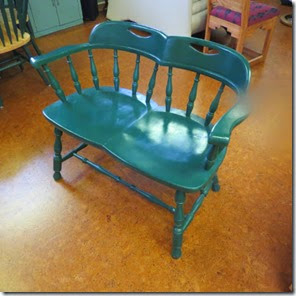
So how does it look? There was no dialog to position it.
Frankie Dugal – 98 year old Rancher, Rope maker

98 year old Frankie Dugal carries on a ranch tradition of horse-hair “mecate” ropemaking and is passing it on to the next generation in the southeast Oregon town of Jordan Valley. She also runs the 3200 acre ranch!
Take a look at the Oregon Field Guide Video:
http://www.opb.org/television/programs/ofg/segment/mecate-rope-makers/
Experimenting with two category types – Category (wp) and Tyoes (from aq widget plugin)
I added a new taxonomy – “Types.” containing experiences, links, heros, reviews, and experiences as over all means of categorizing content.
1. Using the user-submitted- content plug in I see no way to assign a Type to the post.
2. I just discovered you can only assign a single category describer.
2, I can add a type in from the dashboard, using the sidebar.
3. I can add more category types at the pending review time.
5. Format, in the side bar, shows Link (which I added) as a post typpe. ie post type = Format
Filter doesn’t support multiple terms
I want to be able to choose Links and filter those links by categories.
Currently, it is possible to categorize a post in one of many categories. So, I can get all the links, but not all links filtered by other desired categories.
To do this I will need to make another category (Type of post) containing Link, Experience, Critiques, Hero’s at Aging,
To Test:
1. Create the taxonomy, as above.
2. In a post how are two categories handled. Logically?
3. Should these terms be menu items??
4. What is the methodology for filtering on two vocabularies?
A post to see how the new types taxonomy works.
I need a way to organize two ways. By type of post, ie a link, experience, recomendation, mywork
Also by all the categories.
So if I want Links to do with web development I show just those post with a Link which have been categoriZed with web development.
How to alter the heading in the Vantage theme?
FAQ –
In Vantage the following terms need to be clearly understood:
Heading The area at the top of the page which may contain the logo,
Menu The primary meny may be in a bar below the heading, or in the heading
Logo – a graphic which may be the entire header, or icon sized used at the beginning of the menu bar. The log is always a link to the home page. (I think this is true.)
MastHead, I think this is the combination of the header and logo.
Slider: The graphic below the header. It can be a single image, or multiple images. (For this site, it seems superflous and I have not used one.)
To take out the slider: dashboard ….
To upload a logo: Dashboard-> Appearance -> Thene Settings -> Logo
To specify the logo in the header or in the navigation bar:
Dashboard -> Customizing -> Layout … masthead Default
To Make the header take up the full width of the screen.
My trys; Make the width 1600px
use custom css with the vantage custom css app.
/* Header Padding */

header#masthead .hgroup {
padding-bottom: 45px !important;
padding-top: 45px !important;
}
seach “change of size of masthead in site origon .com
Still working on this.
Designing a logo: size 1049X 150. Use Gimp, Adobe photoshop, ??? monkey (on line), any graphics program. Save it as a prn file.
Status Oct 14, 2016 – most things functioning!
October 14, 2016
- The basics of the vantage theme are working. The vocabulary showns on the sidebar. And it shows in the pulldown list for specifying a posts catagory(s)
- Over all design. A simple header with name, tag soft gradient- no picture. Header contains login/ or logged in indo. Ans search bar.
- Menu bar – very simple. Main read, write, link, about
- Backgrounds single colors.
- Sidebar containing categories always should be showing.
- Tinkering toward art is lie tinkering toward life. Just a test of the link methodology.
- Next To Do’s
- Make a new logo picture 1020 x 150 with name tag, and a light gradient.
- sidebar not showing on front page??
- Majkew the links page.
- Write descriptions for every category item.
- Write an about page, and a how to critique page.
- Link to the vantage documentation page.
A test for how an unregistered user can post.
OK, this is a post with me not logged in. I could still put in a name. Now when I save it I should get a system email saying a post has been made,
And it should not be available for otheers to see. Until I log in and approve3 it.
Using categories
1. Posts from the dashboard. Choose add post.
a. choose categories from the side bar. This post will display along with other posts with the same category.
b. Write the post.
2. When finished choose Publish – or one of the other modes. Actually only the sys admin can publish directly. Other posts go thru an approval status.
2. From the user-submitted-content post. (ie choose write-it in the menu.
a. Fill in the boxes (name, title, category, etc) as appropriate.
(Note: at present the full liost of categories does not show in the drpop down list
b Write the post
c Publish (I need to see what the actual options are.)
EnGage – transforms aging and the way people think about it.
Link:http://www.engagedaging.org/blog/
EngAGE is a non-profit that transforms aging
and the way people
think about aging by turning affordable senior apartment communities into vibrant centers of learning, wellness,
and creativity.